
The mod that adds two weapons based on the half life 2 game, returns for this version.We present to you a mod, which we did not yet have available in dlminecraft.
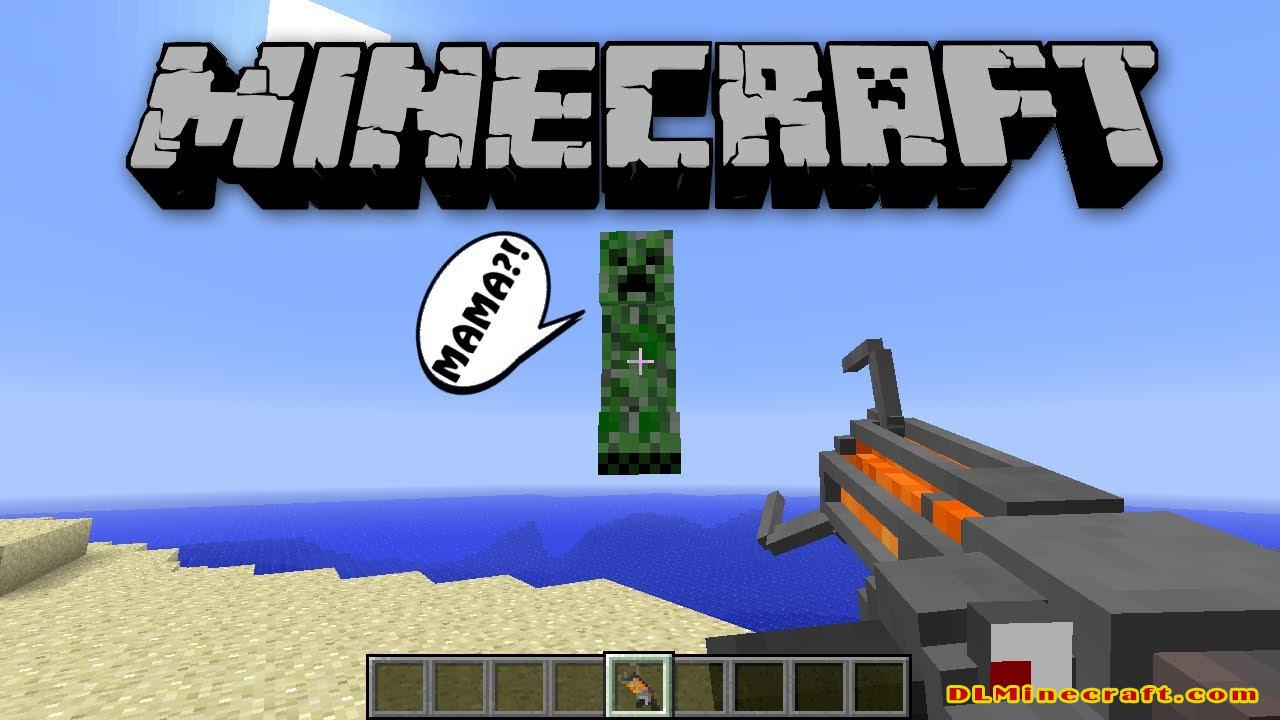
Gravity Gun Mod 1.14.4,1.12.2,1.10.2 and 1.7.10 puts at your disposal two types of weapons, which will allow us to suspend in the air both mobs, animals, or blocks. Once in the air, you can move them, place them where you want or left, and blow them up.
Gravity Gun a mod that adds two weapons of Half-Life 2, will allow us to take both blocks as mobs or animals and keep them in the air, place them wherever we want or just to blow them then up.
With the left click, we will throw the blocks or features over long distances, while with the right button, we will draw both animals and mobs and blocks towards us.
How to use:
- Left clicking with the Gravity Gun will create a blast that will push entites (such as the Wendigo or the Trent from Lycanites mobs) in front of the player away, and if holding something, will launch the held item.
- Right Clicking will bring entities toward the player, and when they are close enough they will be picked up. The Gravity Gun will pick up blocks with right click, and right clicking again will put down the block.
- And the Supercharged Gravity Gun is almost equal to the normal Gravity Gun but only this time attracts more blocks to you but you can not throw them all at once.
Notes:
- Another way to get the supercharged Gravity gun is to hold the regular one and get struck by lightning. Some good ways to accomplish this are to create a Mystcraft age and add lots of “Charged” symbols, or get struck by certain types of bees, or activating a twilight portal. Another way to get hit by lightning is to activate a Division Sigil at an Enchanting Table at midnight.
- When using the Super Charged Gravity Gun and picking up a creeper, if you happen to shoot the creeper at the ground, mountain side, monster, etc.; will cause the creeper to explode upon contact (Creeper must be about 4-11 blocks away to explode on contact) However, this does not work when using the normal Gravity Gun unless edited in the config file.
- It is possible to use the gravity gun similarly to a silk touch pickaxe on certain blocks. You do this by picking them up and dropping them while they are in the same block as a torch or a planted seed block. This does work on spawners; however, they will turn default into pig spawners.
- The Supercharged Gravity Gun also is different by the fact that if you launch a block at a wall, the block will bounce off the wall. The gravity gun however, will make the block stick to the wall.
FAQ:
Which is the latest version of Minecraft Forge?
The latest version of Minecraft Forge is 1.16.5. The latest recommended version of Minecraft Forge is 1.15.2; Minecraft Forge (Modding API) is heavily installed at versions 1.15.2,1.12.2. Some mods require a specific version of Minecraft Forge. New version of Minecraft Forge 1.16.5 has less testing, and many mods do not support it.
How do you download Minecraft Forge?
First, head to Minecraft forge and download the program. You want to make sure that you download the version of Forge that corresponds to the version of Minecraft you have, Select the Minecraft Forge menu on the right side of this website.
Do you have to have Minecraft to use forge?
Yes, Make sure you have Minecraft installed.Minecraft Forge only works for Minecraft: Java Edition. Minecraft for PC, XBox One and PS4 cannot be modded.
Is modding Minecraft illegal?
No, modding Minecraft is not illegal.
Related Mods:
How to install Gravity Gun Mod With Forge
- Make sure you have Minecraft Forge
- Download Gravity Gun Mod file from link(s) below/above
- On PC Windows, Go to the Start menu
Type: %appdata%/.minecraft
Press Enter to Run %appdata%/.minecraft
- On MacOS open finder, hold down ALT and click Go then Library in the top menu bar. Open the folder Application Support and look for Minecraft.
- Go to minecraft/modsfolder
If Mods folder does not exist, create one
- Put Gravity Gun Mod file into the mods folder
- Launch Minecraft using Forge Profile, then Open Menu
- Enjoy!
Mod Requires: Minecraft Forge and iChun Util Mod
Minecraft Forge(Modding API) Installation Guide
5 steps to successfully install Forge Minecraft
1. Access and Download select Minecraft forge version, then download the installer.
2. Requires installing Java on a computer. Open the .jar file you just downloaded, make sure ‘Install Client’ is selected, and click the OK button.
3. Run Minecraft and select the Forge profile, then click Play.
4. Select the Minecraft Forge menu on the left and the Mods button below Multiplayer.
5. Successfully, you can enjoy the mod just installed.
Download Gravity Gun Mod for Minecraft 1.14.4,1.12.2,1.10.2 and 1.7.10
Author: iChun


