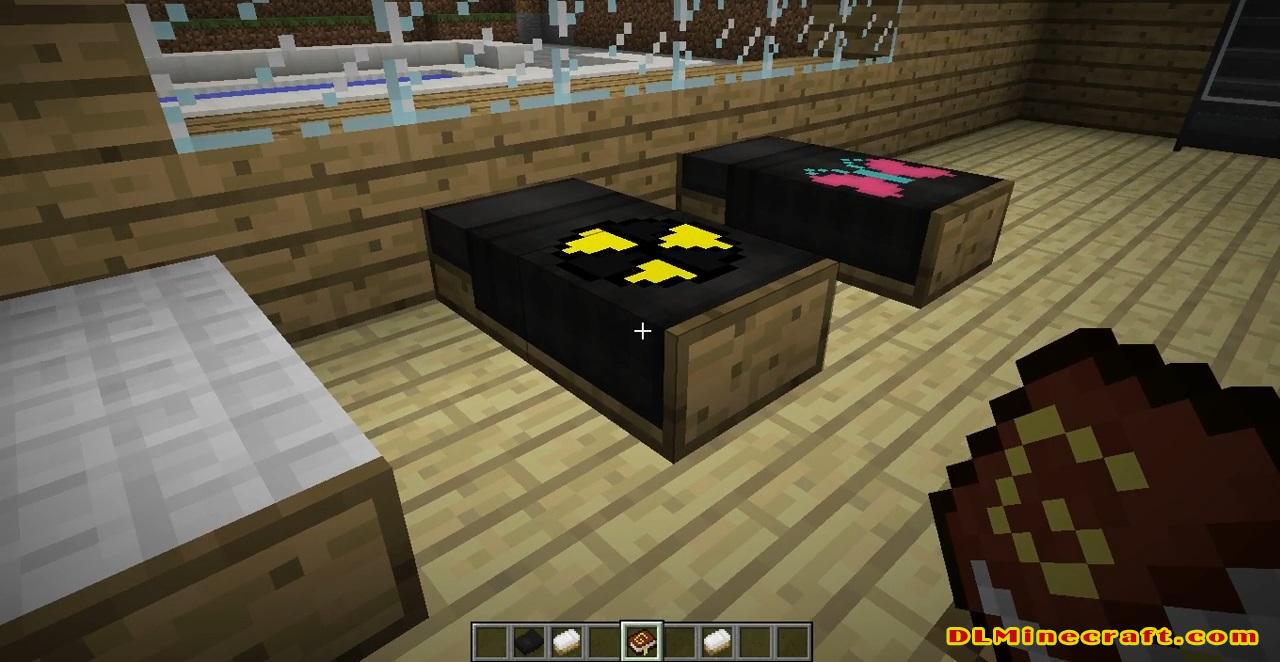
New bed structures with customizable colors and designs.
MultiBeds 1.16.5, 1.15.2, 1.14.4, and 1.13.2 focuses on offering us the possibility to manufacture a good number of beds with various formats, colors and designs. You can make modern beds, rustic beds, classic beds, vintage beds and baby cots, among other variants. These beds can also be stacked on top of each other, resulting in bunk beds.

Each of these new bed formats can be customized in terms of colors and design patterns. You can customize the color of the bed structure, you can apply various designs and colors on the sheets, and you can even create your pattern designs or drawings to give a unique touch to the sheets of your beds.
MultiBeds Mod 1.16.5/1.15.2 adds Beds with a range of customization. There are 16 colors and 16 logos. You can match any color with any logo or have no logo. Type /FruzstratedsGuide in-game for recipes and info.
It offers several different logos on beds in several different colors. It gives so many options for decorating with different beds.
Crafting Recipes:
Beds: Craft 3 feather baffles, place them onto any wood to make a comfy bed.
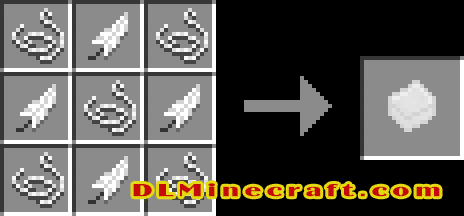
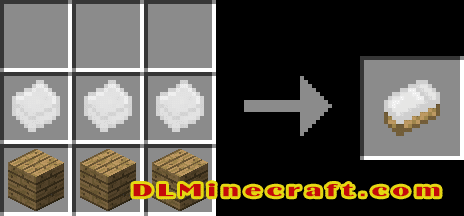
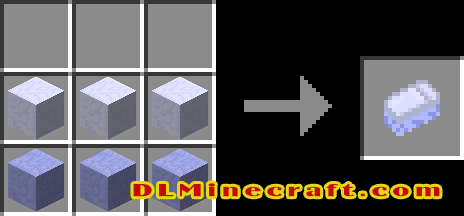
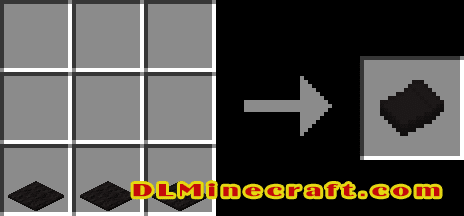
Spreads: Using 3 carpet of the same color will give a spread with no logo. A dye on top will give one with a logo.
‘Shift + Right-Click’ on a bed with a spread to place it or replace an existing.
‘Shift + Right-Click’ on a bed with an empty hand to pick up the spread.

FAQ:
Which is the latest version of Minecraft Forge?
The latest version of Minecraft Forge is 1.16.5. The latest recommended version of Minecraft Forge is 1.15.2; Minecraft Forge (Modding API) is heavily installed at versions 1.15.2,1.12.2. Some mods require a specific version of Minecraft Forge. New version of Minecraft Forge 1.16.5 has less testing, and many mods do not support it.
How do you download Minecraft Forge?
First, head to Minecraft forge and download the program. You want to make sure that you download the version of Forge that corresponds to the version of Minecraft you have, Select the Minecraft Forge menu on the right side of this website.
Do you have to have Minecraft to use forge?
Yes, Make sure you have Minecraft installed.Minecraft Forge only works for Minecraft: Java Edition. Minecraft for PC, XBox One and PS4 cannot be modded.
Is modding Minecraft illegal?
No, modding Minecraft is not illegal.
Related Mods:
How to install MultiBeds Mod 1.16.5, 1.15.2, 1.14.4, and 1.13.2
- Make sure you have Minecraft Forge and ShetiPhianCore
- Download MultiBeds Mod from link(s) below/above
- On PC Windows, Go to the Start menu
Type: %appdata%/.minecraft
Press Enter to Run %appdata%/.minecraft
- On macOS open finder, hold down ALT, and click Go then Library in the top menu bar. Open the folder Application Support and look for Minecraft.
- Go to minecraft/mods folder
If the Mods folder does not exist, create one
- Paste the downloaded “ShetiPhianCore” file into the .minecraft/mods folder
- Paste the downloaded mod file into the .minecraft/mods folder
- Now we can enjoy the automatic opening of doors!
Minecraft Forge(Modding API) Installation Guide
5 steps to successfully install Forge Minecraft
1. Access and Download select Minecraft forge version, then download the installer.
2. Requires installing Java on a computer. Open the .jar file you just downloaded, make sure ‘Install Client’ is selected, and click the OK button.
3. Run Minecraft and select the Forge profile, then click Play.
4. Select the Minecraft Forge menu on the left and the Mods button below Multiplayer.
5. Successfully, you can enjoy the mod just installed.
Download MultiBeds Mod for Minecraft 1.16.5, 1.15.2, 1.14.4, and 1.13.2