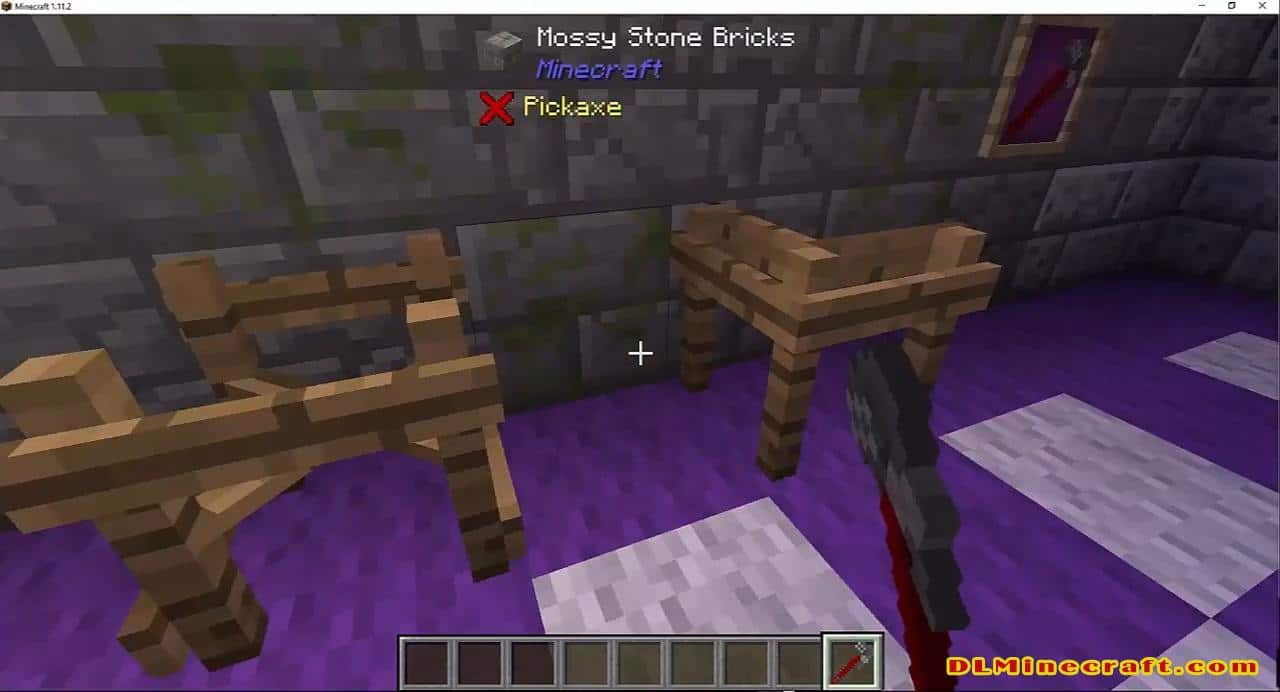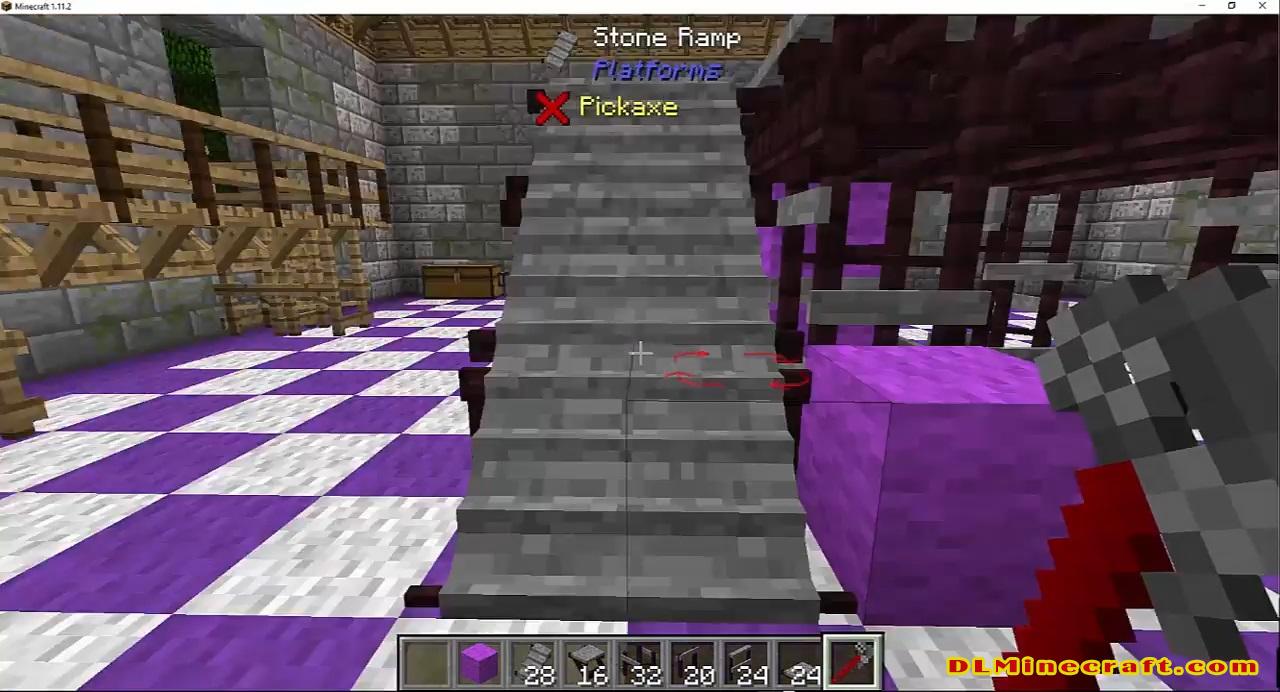
Platforms Mod 1.16.5,1.16.4,1.15.2 and 1.12.2 offer us the possibility to manufacture a new crafting table, called “The Platformer”, that will allow us to manufacture various types of platforms. These platforms can be used to manufacture anything you want, whether it’s a bridge or a roller coaster, as you can see in the image below of this publication. Platforms to build anything we can think of.
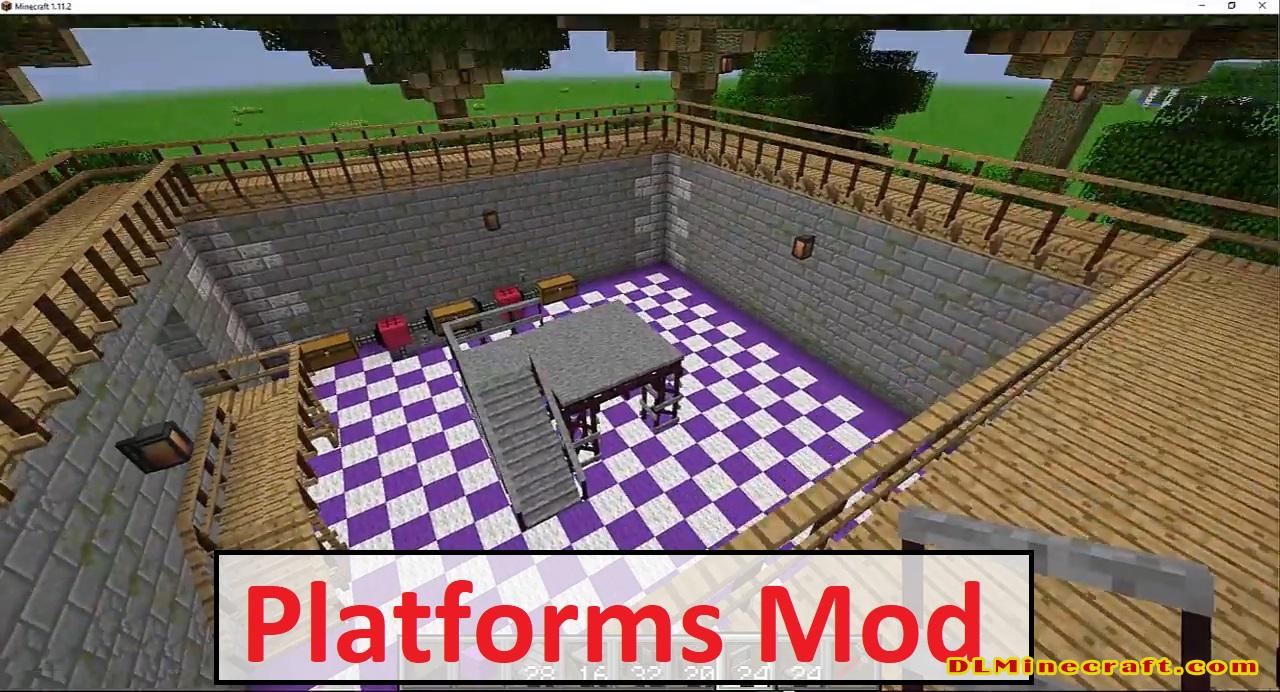
During manufacturing the platforms, we will be able to make use of various types of materials, such as wood, stone and iron, among others. The mod will also allow you to manufacture a tool called “The wrench,” which you can use to rotate any of the platforms you have created and remove rails from wagons.
This mod adds platforms with a range of customization.
You can make decks, bridges, mine shafts, or even wooden coaster supports.
How to install Platforms Mod 1.16.5, 1.15.2, 1.14.4, and 1.13.2
- Make sure you have Minecraft Forge , ShetiPhianCore.
- Download Platforms Mod from link(s) below/above
- On PC Windows, Go to the Start menu
Type: %appdata%/.minecraft
Press Enter to Run %appdata%/.minecraft
- On macOS open finder, hold down ALT, and click Go then Library in the top menu bar. Open the folder Application Support and look for Minecraft.
- Go to minecraft/mods folder
If the Mods folder does not exist, create one
- Paste the downloaded “ShetiPhianCore” file into the .minecraft/mods folder
- Paste the downloaded mod file into the .minecraft/mods folder
- Now we can enjoy the automatic opening of doors!
Related Mods:
- Top 19 Minecraft Mods (Updated February 2021)
- Top Minecraft Seeds for PC,Xbox,Mobile – New 2021
- 11 Best Minecraft Shaders for 2021
Change and Fixed
Limit speed platform select gui can be opened and closed to solve cases where it was being opened and closed too fast (eg. failing mouse button multi triggering, or multi click macro) causing the game to hang
[opening is limited to four times a second, and the gui can not be closed within twenty-five milliseconds of opening]
Features:
The Platformer
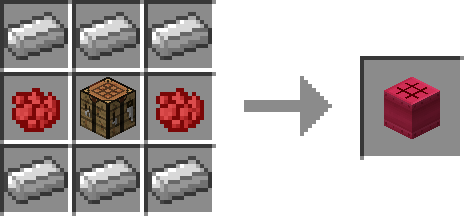
This block is used to make all of the platforms.
Depending on the material used the look of the platforms will be different.
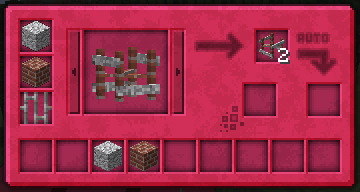
The Platformer uses the ore dictionary to support mod added planks, ingots (must also have a block), and some stones.
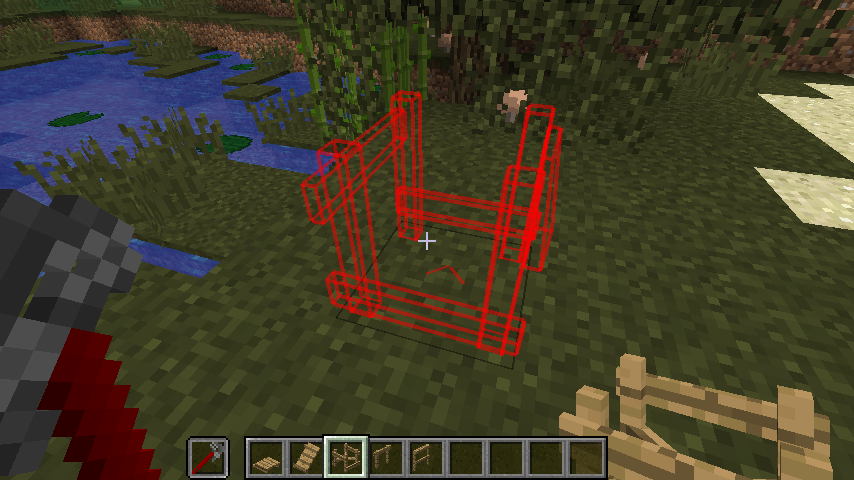
The wrench

Right-Click to rotate a platform.
Shift+Right-Click to change the style of a platform.
Shift+Left-Click a platform to remove the rail.
When a wrench is in your offhand the placement overlay is displayed.
Supported Platform Material Blocks:
Wood
- Blocks registered to the Forge OreDictionary as “plankWood”
Stone
- Mod blocks registered to the Forge OreDictionary as “stone” or “cobblestone” or “sandstone”
- Stone
- Cobblestone & Mossy Cobblestone
- Brick Block
- End Stone
- Hardened Clay & Stained Hardened Clay
- Prismarine
- Nether Brick Block
- Stone Brick Block
- Packed Ice
- Quartz Block
- Lapis Block
- Diamond Block
- Emerald Block
Metal
- Blocks registered to the Forge OreDictionary in pairs of ingot<Metal> block<Metal>
Metal is a bit different as the ingot is used to craft but the texture is from the block.
For example both “ingotCopper” and “blockCopper” must be registered to the Ore Dictionary.
An attempt will be made to pair the ingot and block from the same mod, but if a mod registered an ingot but not a block the first registered block of the same metal will be used.
FAQ:
Which is the latest version of Minecraft Forge?
The latest version of Minecraft Forge is 1.16.5. The latest recommended version of Minecraft Forge is 1.15.2; Minecraft Forge (Modding API) is heavily installed at versions 1.15.2,1.12.2. Some mods require a specific version of Minecraft Forge. New version of Minecraft Forge 1.16.5 has less testing, and many mods do not support it.
How do you download Minecraft Forge?
First, head to Minecraft forge and download the program. You want to make sure that you download the version of Forge that corresponds to the version of Minecraft you have, Select the Minecraft Forge menu on the right side of this website.
Do you have to have Minecraft to use forge?
Yes, Make sure you have Minecraft installed.Minecraft Forge only works for Minecraft: Java Edition. Minecraft for PC, XBox One and PS4 cannot be modded.
Is modding Minecraft illegal?
No, modding Minecraft is not illegal.
Minecraft Forge(Modding API) Installation Guide
5 steps to successfully install Forge Minecraft
1. Access and Download select Minecraft forge version, then download the installer.
2. Requires installing Java on a computer. Open the .jar file you just downloaded, make sure ‘Install Client’ is selected, and click the OK button.
3. Run Minecraft and select the Forge profile, then click Play.
4. Select the Minecraft Forge menu on the left and the Mods button below Multiplayer.
5. Successfully, you can enjoy the mod just installed.